✦
Checkout slows down when the shop is full
Handwritten bills and calculator totals take too long per customer. During evening rush, the queue grows and people walk out. A counter that searches or scans items keeps the line moving.
Home/Billing software for retail shop
GST billing · inventory · retail POS
GST bills, live stock, and a barcode counter in one suite for kiranas, pharmacies, garment shops, and multi-store retailers. Start free. Turn on POS when the queue needs it.
Built for Indian retail counters
Without software
Registers and Excel do not fail on a quiet Tuesday. They fail when the shop is busy, the GST rate is wrong, or the stock count is a guess.
✦
Handwritten bills and calculator totals take too long per customer. During evening rush, the queue grows and people walk out. A counter that searches or scans items keeps the line moving.
✦
Without live stock, you reorder what you already have and run out of what sells. Capital sits in dead inventory while popular SKUs are missing when a customer asks.
✦
A mistyped rate or total is awkward at the counter and messy for the buyer’s input tax credit. Automatic tax on each line item stops most of those mistakes before the receipt prints.
✦
Sales, purchases, and returns live in registers, WhatsApp, and Excel. Your CA spends days reconstructing what the shop already did. Tax-ready documents from day one shorten that close.
What it is
When a customer buys, you find the item, apply GST, take payment, and hand over a bill. Proper retail billing software does that job and then updates quantity, party balance, and reports from the same event. You should not re-type the sale into a stock register or a GST workbook.
TiBook is built for that loop. On the free Startup plan you raise GST invoices and keep basic inventory with barcodes and low-stock alerts. On SMB you open retail POS at the counter: scan or search, use a cash party for walk-ins, print a thermal receipt, and let stock move with the bill. If you also run a cafe counter, restaurant POS (tables, KOTs, modifiers) is a separate app in the same suite — not a bolted-on retail screen.
That is different from a PDF invoice generator or a spreadsheet. One sale should touch stock, tax, and cash. Shops that also list on Amazon or Flipkart can map the same SKUs so online orders do not sell units the kirana already billed offline.
Retail POS — search or scan, GST on the cart, walk-in cash party
Why shops use it
GST, UPI, and marketplace selling made paper billing a liability. Software is how the counter stays fast and the books stay defensible.
Search by name or scan a barcode, add GST, and print a thermal receipt. Walk-ins can go on a cash party so you are not creating a customer for every kirana sale.
Each bill reduces quantity. Low-stock alerts fire before you disappoint a regular. Godowns stay separate so the warehouse number is not mixed with the shop floor.
Cash, UPI, and card can sit on the same day’s books. Receipts and payments stay tied to parties so outstanding is not a separate spreadsheet.
Daybook, outstanding, and profit & loss sit next to inventory value. Slow movers are visible instead of discovered at year-end stock-taking.
CGST, SGST, and IGST calculate on the invoice. Quotations, delivery notes, and credit notes use the same tax setup so the trail matches what you filed.
One login can hold multiple businesses. SMB adds users so a cashier and an owner are not sharing a password.
If the same SKU is on the shelf and on Amazon or Flipkart, map it once. Orders and settlements come into TiBook so you are less likely to oversell.
TiBook Agent can answer from your sales, outstanding, parties, and items — and draft invoices after you confirm. Useful when you are on the floor, not at a desk.
TiBook for retail
Everything below is in the product today — invoicing and inventory on Startup, POS and marketplace on SMB.
Counter
Invoicing on every plan. Retail POS on SMB, built for barcode counters rather than restaurant tables.
Create tax-ready invoices, quotations, and delivery notes. Share a public link, email, or SMS, or print a PDF.
Item search, cart, cash party for walk-ins, and configurable POS settings. Stock updates as you settle the bill.
Print thermal receipts in simple, classic, compact, or advanced themes. Generate barcodes and preview labels before you stick them on stock.
Stock
The quantity on the shelf should be the quantity in the software — without a second data entry job.
Track items at each location. Adjust with set-actual or add/reduce, and see the accounting impact before you post.
Expiry-sensitive and high-value items get batch or serial tracking. Mobile shops can follow a handset by IMEI, not only by model name.
Bring items in from Excel. Custom fields cover shop-specific attributes. Alerts tell the team what to reorder.
Books
The bill you print is the bill in the daybook. Add full ledgers when the CA needs more than invoices.
See sales, receivables, and profit without exporting to a separate tool first. Startup includes these reports.
SMB adds chart of accounts, journals, ledgers, and trial balance — posted from the same invoices and stock.
Inward invoices, debit notes, and expense vouchers sit with sales so GST and cash are not reconstructed from paper.
Growth
A retail shop that also sells online should not run two disconnected systems.
Store customers and vendors with purchase history. Log calls and callbacks when credit or wholesale accounts need a nudge.
Map seller SKUs to TiBook items, sync orders and returns, and compare marketplace profit after fees — next to counter sales.
Attendance, salary entries, and salary slips on SMB so staff cost is not a separate Excel file.
Setup
Most shops bill the same day they sign up. Hardware is optional until the queue needs a scanner and a thermal printer.
Sign up with Google or email. Add the company, GSTIN, and tax rates. No install — TiBook runs in the browser.
Create products or import from Excel. Print barcode labels if the pack does not already have one.
Startup shops raise GST invoices. SMB shops open retail POS, scan or search, and settle cash, UPI, or card.
Thermal receipt or PDF, then check daybook, low stock, and outstanding before you lock up.
Hardware
TiBook is not sold as a hardware bundle. It prints thermal receipts and barcode labels and accepts scans from standard devices over USB or Bluetooth. Buy the printer your electrician already knows how to service. Setup notes live in Help: barcode scanners and thermal receipts.
TiBook prints thermal receipts with multiple themes. Use a standard USB or Bluetooth thermal printer at the counter — no vendor lock-in to a TiBook-branded device.
Wired USB scanners are plug-and-play on a laptop. Wireless Bluetooth scanners help when you bill from the aisle. Standard 1D barcodes work with item barcodes you generate in TiBook.
Print barcode labels from item settings with a live preview. Useful for loose grocery, house-brand packs, and anything you stick a price on yourself.
A laptop, desktop, or tablet with a browser is enough to start. Add hardware when the queue justifies it — not as a condition of using the software.
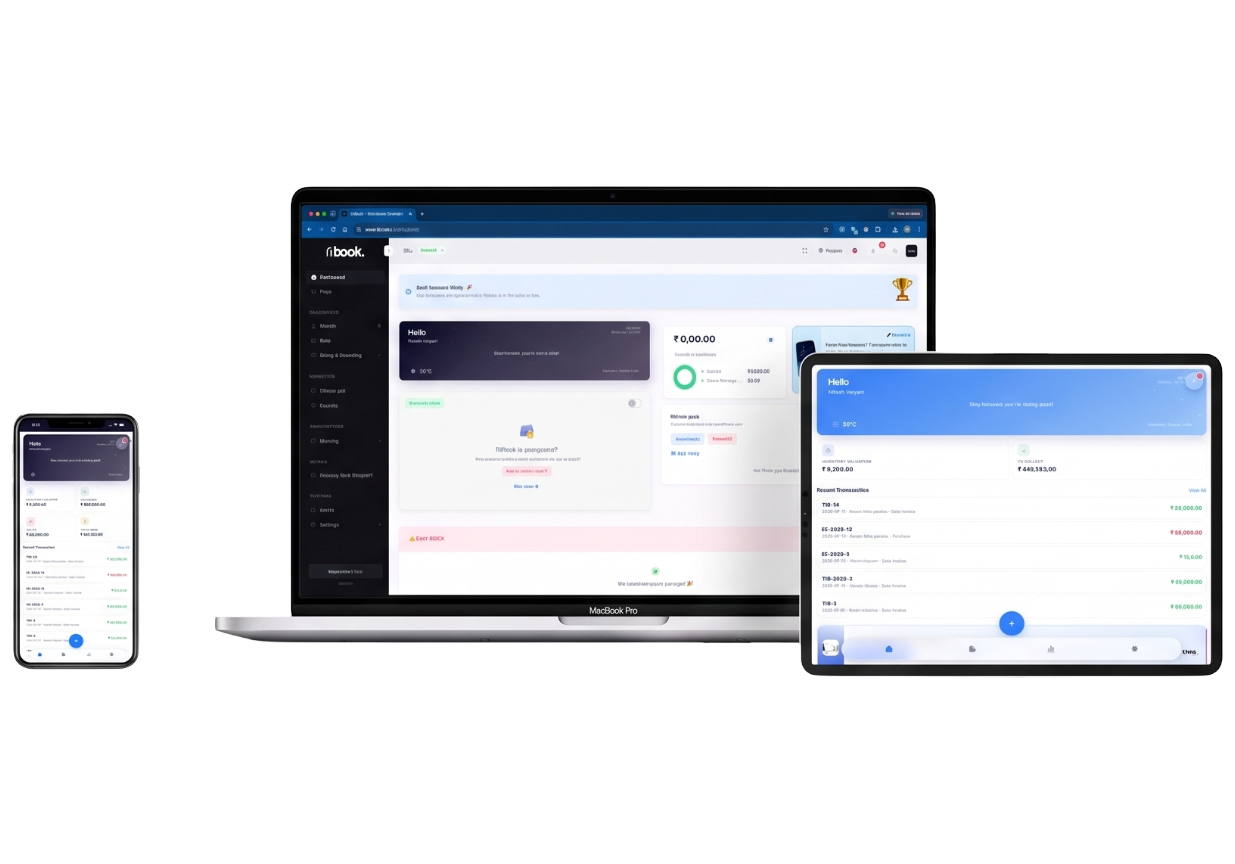
Web on laptop and tablet, plus desktop builds. Stock and invoices stay in the same company whether you are at the counter or checking low stock from home.
Shop types
Same GST engine and stock ledger. The counter workflow changes with what you sell.
Fast bills, barcodes, units, and low-stock on daily FMCG. Cash party for walk-ins so you are not filing a party for every ₹40 sale.
Serial and IMEI tracking on handsets and accessories, plus GST invoices customers expect for warranty.
Batch-wise stock for expiry-sensitive items, billing-linked quantities, and purchase documents for inward stock.
Item catalogues with custom fields, GST on apparel rates, and party history for wholesale buyers.
Units, godowns, and bulk purchases. Serials when you sell identifiable tools or equipment.
Location-wise stock, extra users on SMB, and POS so more than one person can bill without sharing a login.
Purchases, delivery notes, outstanding, and multi-godown transfers — then the same stock for any retail counter you also run.
Use retail POS for packaged goods, or restaurant POS for tables, KOTs, modifiers, and dine-in settlement.
Why TiBook
Built in Vadodara for Indian MSMEs — not an invoice PDF tool with GST painted on.
Startup is ₹0 with no trial countdown. GST invoices and inventory are included before you pay for POS.
A sale updates stock. SMB adds POS, ledgers, and payroll so you are not stitching three apps together.
Marketplace orders, fees, and SKU mapping sit next to offline bills — built for shops that sell in both places.
The interface covers 20+ languages. Multiple companies share a login without mixing their stock or GSTIN.
No separate billing PC software to install first. Sign in at app.tibook.in from the counter or from home.
Scan a document to draft an invoice, or ask TiBook Agent about sales and outstanding after you confirm each action.
Buying guide
Choose software that treats a completed sale as one event: the bill, the GST, the payment mode, and the stock movement. If those live in different tools, someone on your team will reconcile them by hand — usually after a customer has already left.
For a small or growing shop, check the daily path first. Can a cashier find an item, apply the right tax, take UPI or cash, and print a receipt without calling the owner? Can you see godown-wise quantity, not only a company total? Can you import items, print barcodes, and open low-stock without a training week?
Then check what happens when you grow. Extra users, a second company, restaurant tables if you add a cafe, and marketplace orders if you list online. TiBook puts GST invoicing and inventory on the free Startup plan so you can test that path before you pay ₹199/month for POS, accounting, and Amazon/Flipkart sync.
Price the whole year, not the brochure. A tool that is cheap until you need barcode POS or a second user is not cheaper. Read the plan chart on this page, compare it with TiBook vs myBillBook, and try the counter workflow with your own 20 SKUs before you commit.
Flexible options
All plans include GST invoicing and inventory. SMB adds POS, payroll, and accounting. Yearly billing saves two months versus monthly.
GST invoicing and inventory for freelancers and shops getting started.
₹0/mo
No credit card · no time limit
Includes
Pause or cancel anytime
Most popular
POS, payroll, accounting, and marketplace for growing teams.
₹199/mo
Or ₹1,990/year
Includes
Pause or cancel anytime
All apps, extra users, and dedicated support for larger organisations.
₹399/mo
Or ₹3,990/year
Includes
Pause or cancel anytime
Guides
Practical pages on this site — templates, GST math, inventory, and pricing.
Retail billing FAQs
GST, POS, stock, hardware, and what is free versus SMB for a shop counter.
Create the company, add items, and raise a GST invoice in minutes. Upgrade to SMB when you need barcode POS, extra users, or marketplace sync.