GST invoicing

Add a signature to your invoice

Upload a PNG or JPG on your company, or draw one on the free invoice generator. GST and non-GST PDFs. This is a visible signature, not a DSC.

On the PDF

What an invoice signature is

An invoice signature is a handwritten, drawn, or uploaded image in the authorised-signatory area. It tells the buyer who issued the bill. It is not a cryptographic Digital Signature Certificate, and it is not a GST e-invoice IRN.

In TiBook the app stores the image on the company and prints Authorized Signature For plus your business name. The free invoice generator can draw or upload a signature for a single PDF without an account.

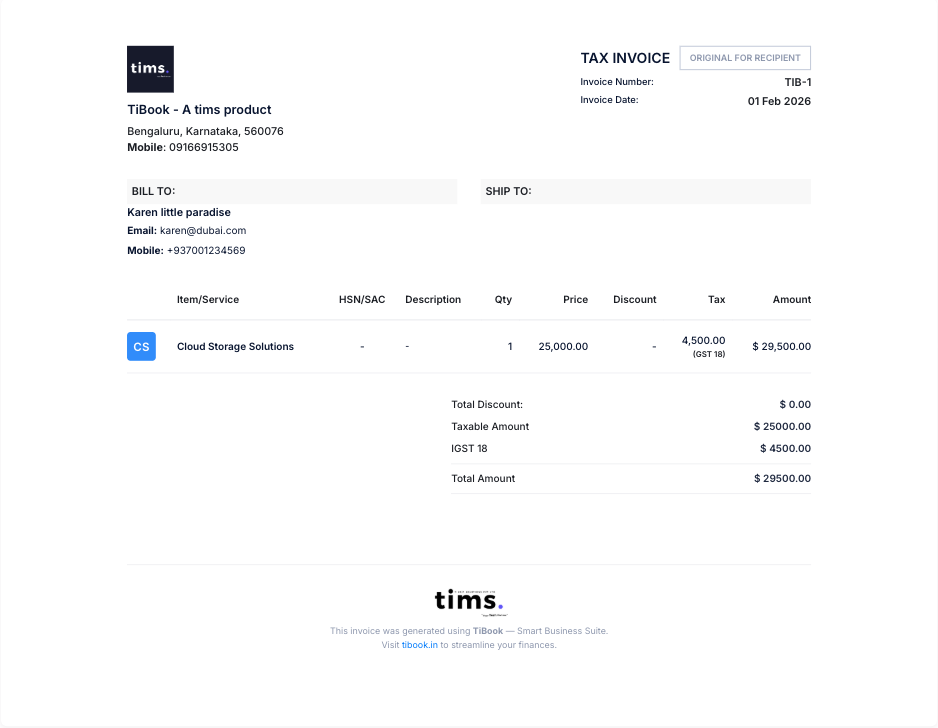
GST invoice PDF with authorised signature area in TiBook

How to add a signature in TiBook

Use the company profile if you bill every day. Use the generator if you need one signed PDF now.

TiBook app

Save it on the company

  1. 1. Open Settings → Company. Sign in at app.tibook.in.
  2. 2. Choose upload. Add a PNG or JPG of the authorised signatory. Light or transparent background prints cleanest.
  3. 3. Save. The file sits on the business profile, not on one draft.
  4. 4. Create the invoice. GST and non-GST PDFs show the image and the authorised-signatory line.

Open company settings →

Free tool

Draw or upload on one invoice

  1. 1. Open the invoice generator. No signup required to start.
  2. 2. Fill the bill. Parties, items, tax, and totals.
  3. 3. Add the signature. Use the sign pad, or upload an image from your computer or phone.
  4. 4. Download PDF. Preview, then print or share.

Open invoice generator →

Signature options

Upload PNG or JPG

Company settings accept a signature image. Use the same file on GST invoices, quotes, and other documents that print from that profile.

Draw on the sign pad

The free generator lets you write with a mouse, trackpad, or finger, then save it onto that invoice.

No signature

Leave the company on no signature, or skip the pad, if you will sign paper after print.

TiBook does not add a separate receiver-signature field. If the buyer must sign a copy, print the PDF and collect the mark on paper.

Why add a signature to an invoice

  • Finish the authorised-signatory block

    Clients and accounts payable expect a name and mark at the bottom of a GST invoice. Printing a saved image is faster than signing every PDF by hand.

  • Stop print-sign-scan loops

    Upload once on the company. New invoices pick it up. No scanner for a routine bill.

  • Keep one approved mark

    The person authorised to sign should be the image on file. Change it in company settings when that person changes.

  • Skip the signature when you need to

    Some businesses leave the block empty and sign paper later. Choose no signature on the company, or skip the pad on the generator.

Who this is for

Retailers, wholesalers, distributors, manufacturers, service firms, and freelancers who issue GST or non-GST invoices in India. Decide who is allowed to use the uploaded image and keep the file with that person.

Invoice signature, DSC, and GST e-invoice

These three get mixed up in search. Only the first is what this page describes.

TermWhat it meansIn TiBook
Invoice signatureA handwritten, drawn, or uploaded image on the invoice.Company upload, or draw/upload on the free generator.
DSC digital signatureA cryptographic signature using a Digital Signature Certificate.Not claimed on this page. This is not DSC signing.
GST e-invoiceApplicable invoices reported to an IRP for an IRN and signed QR code.Separate from adding a visible signature. Turnover rules still apply.

FAQs on invoice signatures

Create GST invoices with your signature

Save the authorised image on the company, or sign one PDF in the generator. Startup is free.

Also: GST calculator · invoicing for freelancers · TiBook vs myBillBook